My New NVME
Good things always come in threes
My motherboard ROG STRIX Z490-E only has two NVME slots and I’ve been looking for expanding it to three.
Since I had an empty PCIe slot at the bottom of my motherboard, I decided it was time to put it to some good use!
My options were a bit limited, since the case I have is not particularly big and there’s only so much space. The always thick NVIDIA 4090 is taking up two PCIe slotts just for herself.
ASUS has an expansion card with 4 M.2 slots called Hyper M.2 X16 Card.
Unfortunately using this card to its full potential usually means either removing your GPU or having a very expensive motherboard.
I also found a small expansion card with a heat sink from ICY BOX, the card is called IB-PCI208-HS. This will probably do, nice and easy.
So now, shall we…?
The expansion card
Expansion card, heat sink, thermal pad and accesories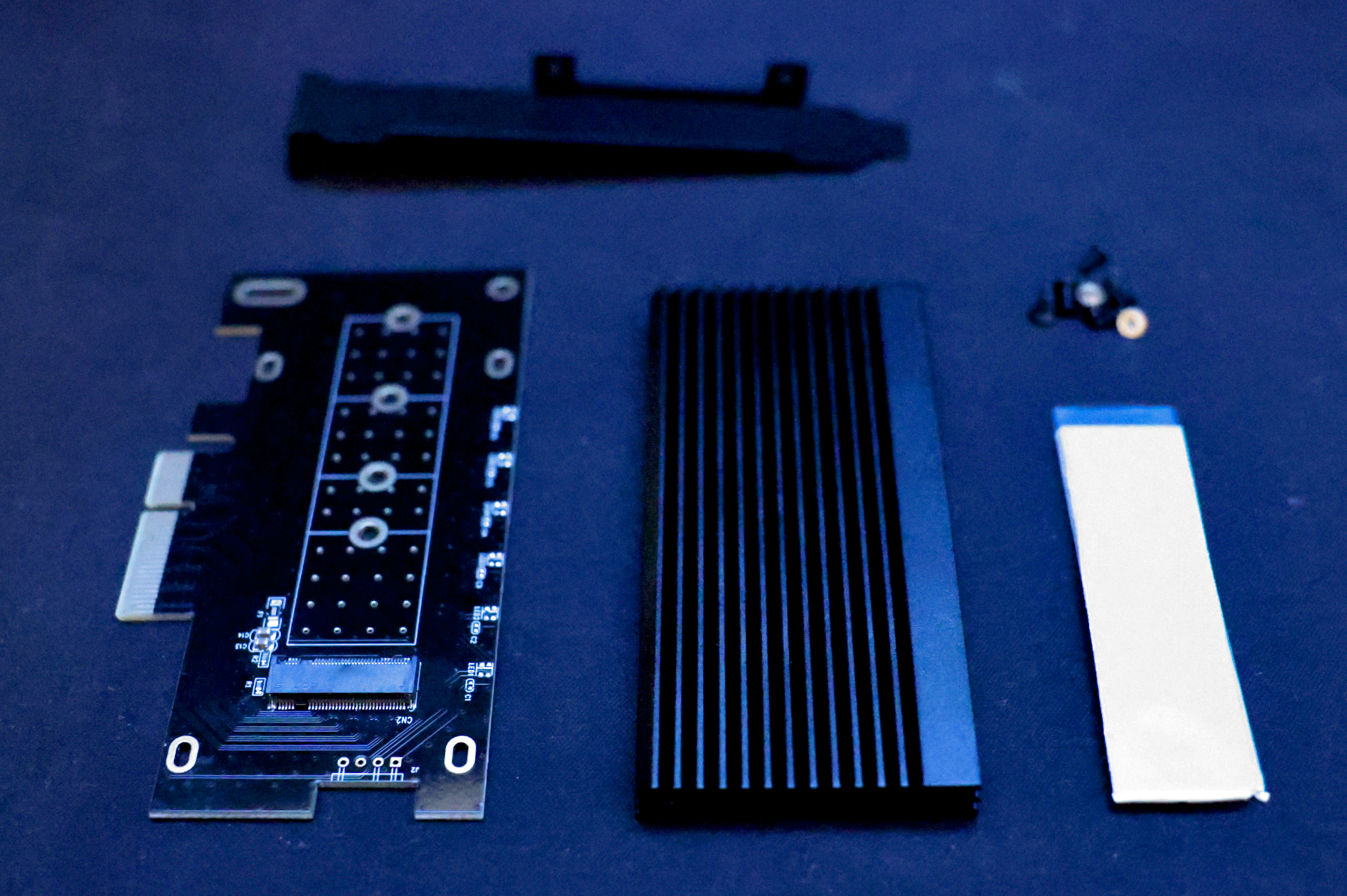
This is the IB-PCI208-HS card. It comes with an aluminum heat sink, which will be handy for temperatures, a thermal pad, screws, two brackets and the manual.
This is a PCIe v4.0 card, but I only have PCIe v3.0 in my motherboard, so we won’t be able to use all its power. In any case, its a card I will still be able to use when I replace the motherboard - which is now five years old, but still has some road to go - with a new one.
The NVME
I have had a couple Samsung EVO 970 Plus for three years. Hell of a solid state disk, so far zero problems with it:
nvme smart-log /dev/nvme0
Smart Log for NVME device:nvme0 namespace-id:ffffffff
critical_warning			: 0
temperature				: 53 °C (326 K)
available_spare				: 100%
available_spare_threshold		: 10%
percentage_used				: 2%
endurance group critical warning summary: 0
Data Units Read				: 174848744 (89.52 TB)
Data Units Written			: 118461179 (60.65 TB)
host_read_commands			: 1499974106
host_write_commands			: 1112992715
controller_busy_time			: 4205
power_cycles				: 5430
power_on_hours				: 6194
unsafe_shutdowns			: 227
media_errors				: 0
num_err_log_entries			: 73252
Warning Temperature Time		: 0
Critical Composite Temperature Time	: 0
Temperature Sensor 1			: 53 °C (326 K)
Temperature Sensor 2			: 47 °C (320 K)
Thermal Management T1 Trans Count	: 0
Thermal Management T2 Trans Count	: 0
Thermal Management T1 Total Time	: 0
Thermal Management T2 Total Time	: 0
nvme smart-log /dev/nvme2
Smart Log for NVME device:nvme2 namespace-id:ffffffff
critical_warning			: 0
temperature				: 57 °C (330 K)
available_spare				: 100%
available_spare_threshold		: 10%
percentage_used				: 1%
endurance group critical warning summary: 0
Data Units Read				: 76999626 (39.42 TB)
Data Units Written			: 84879684 (43.46 TB)
host_read_commands			: 169933458
host_write_commands			: 63370167
controller_busy_time			: 893
power_cycles				: 4465
power_on_hours				: 3660
unsafe_shutdowns			: 173
media_errors				: 0
num_err_log_entries			: 63288
Warning Temperature Time		: 0
Critical Composite Temperature Time	: 0
Temperature Sensor 1			: 57 °C (330 K)
Temperature Sensor 2			: 55 °C (328 K)
Thermal Management T1 Trans Count	: 0
Thermal Management T2 Trans Count	: 0
Thermal Management T1 Total Time	: 0
Thermal Management T2 Total Time	: 0
It’s not that I’ve demanded the most from these disks, its more like modest use, as you can see.
The updated version of the 970 is the 990 as the time of writing, which comes in two variants as did the 970: Plus and Pro. I decided to go with the 990 Plus:
Our tiny little friend, the Samsung EVO 990 Plus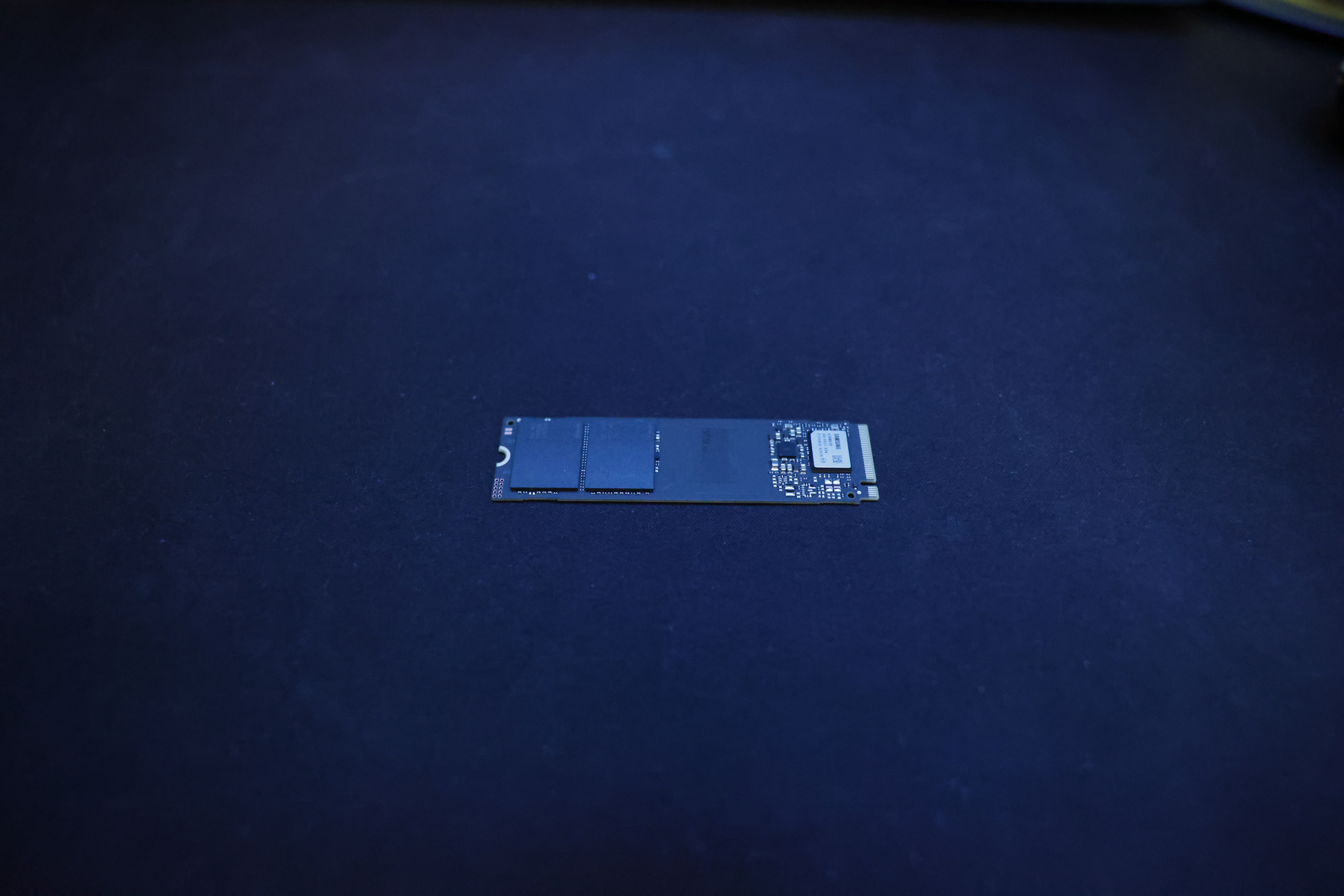
These things are getting so small. I still remember messing with IDE disks a long time ago… oh what a long way we have come. Its quite marvellous something so small can hold so much and be so fast, isn’t it?
The main difference in this generation is that the Plus version doesn’t have DRAM. Its one of those DRAM-less NVMEs. It does have HMB (host memory buffer) however. If you care about that, go with the Pro, it still has DRAM.
In theory withour DRAM it can suffer from sustained writes, we will see… in any case the Plus does have other advantages:
- Is cheaper (~50$ in my case).
- Has better thermals. Paired with the heat sink we should see cool temperatures.
According to the manufacturer, Samsung, we are promised:
…up to 7250 MB/s of sequential read and 6300 MB/s of sequential write speed.
Since the processor/motherboard are using PCIe v3.0 I expect to achieve about ~50% of this.
Putting it all together
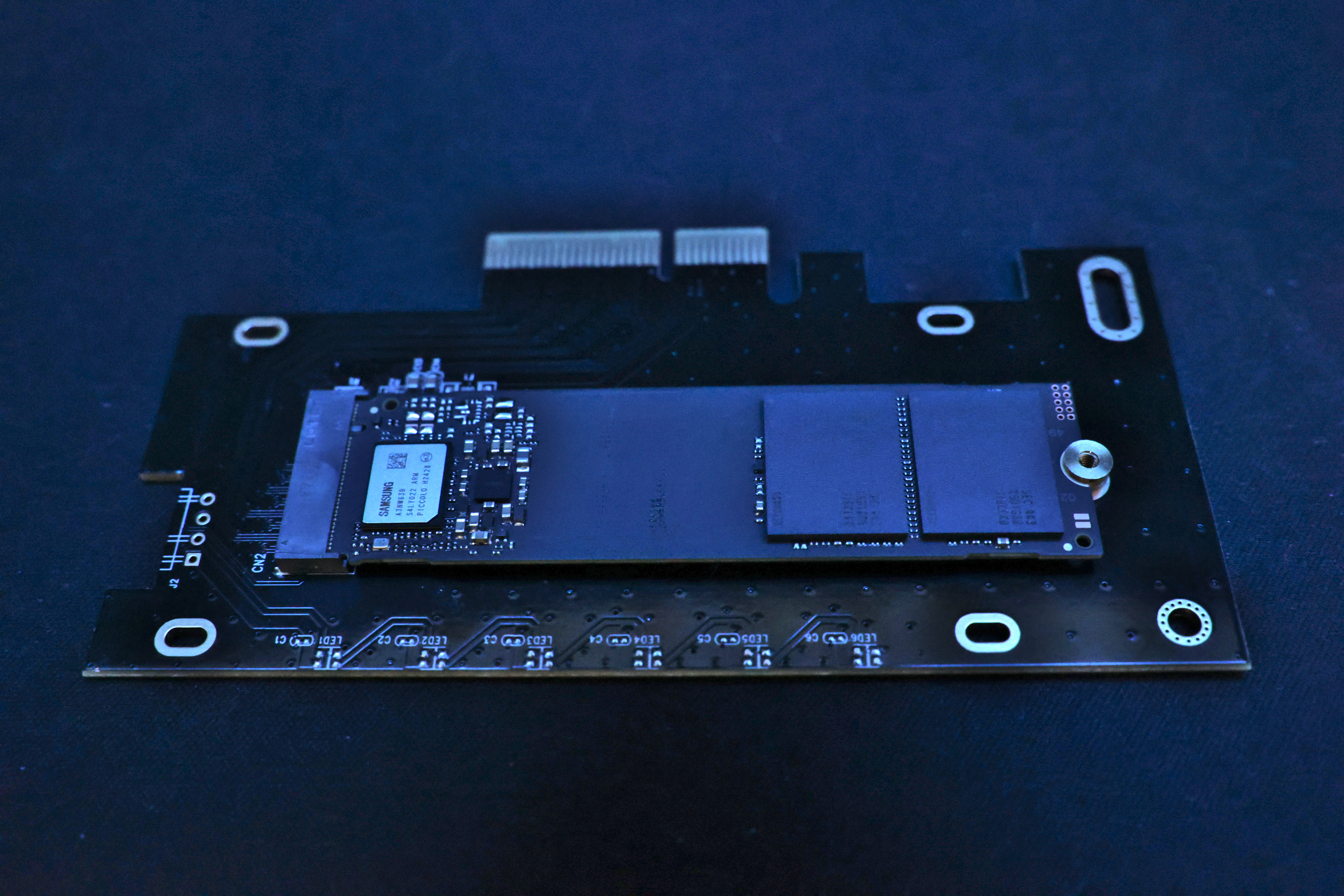
Accomodating the NVME on the card is quick and easy. Five minutes and you are all set.
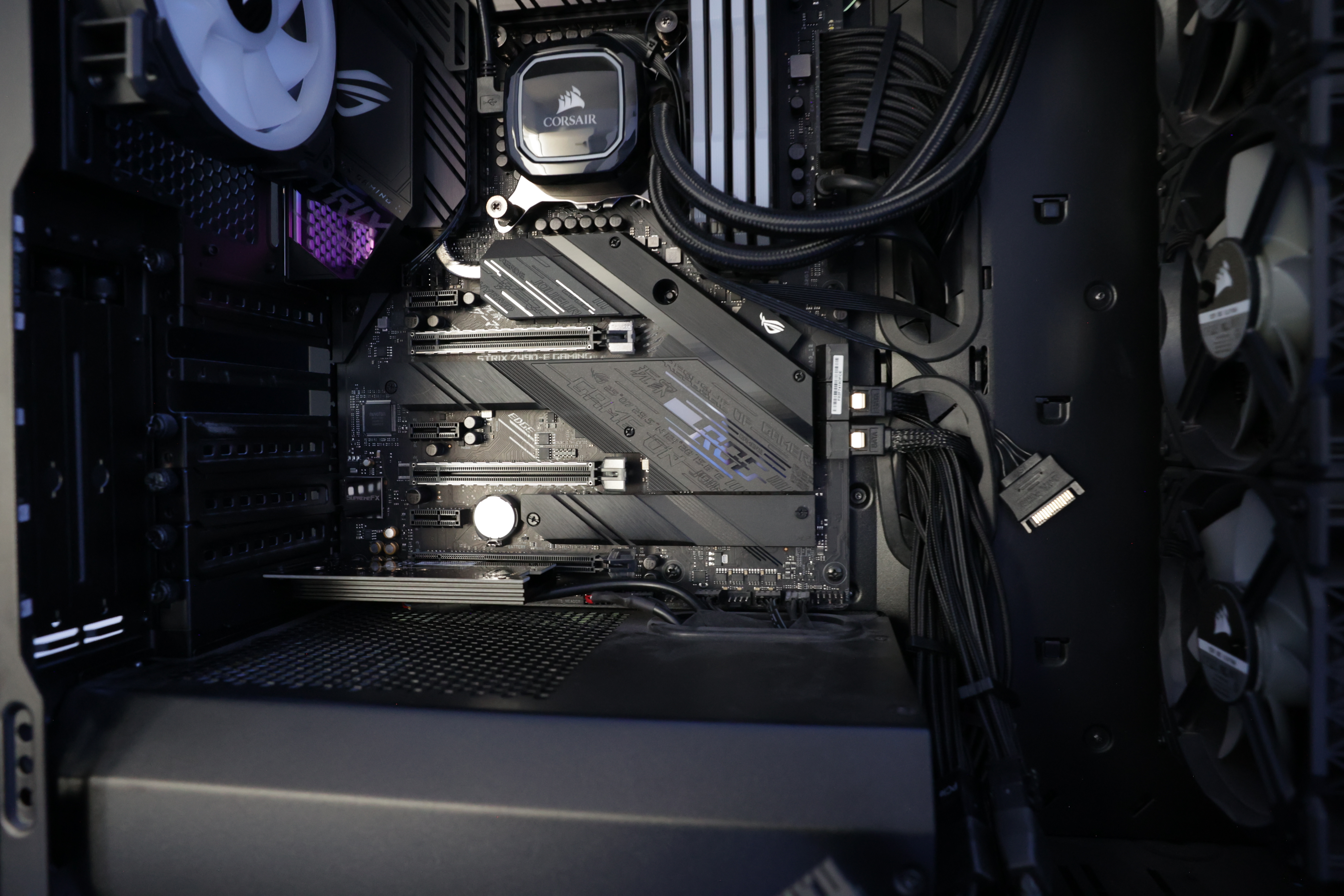
This is how it looks after its assembled:
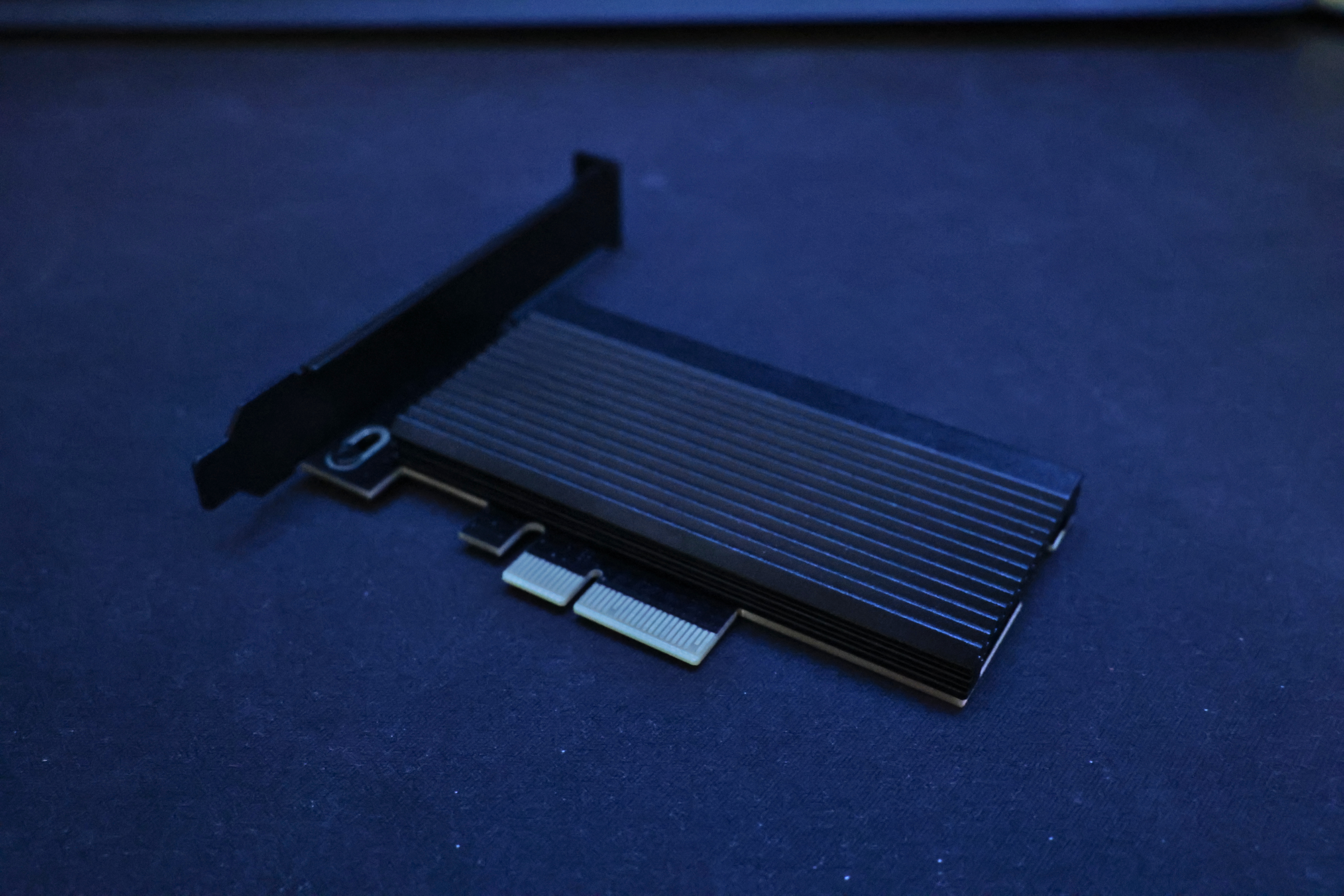
Here’s the card plugged to the PCIe slot at the bottom of the motherboard, just under the CMOS battery.
And here’s how it looks with the GPU attached.
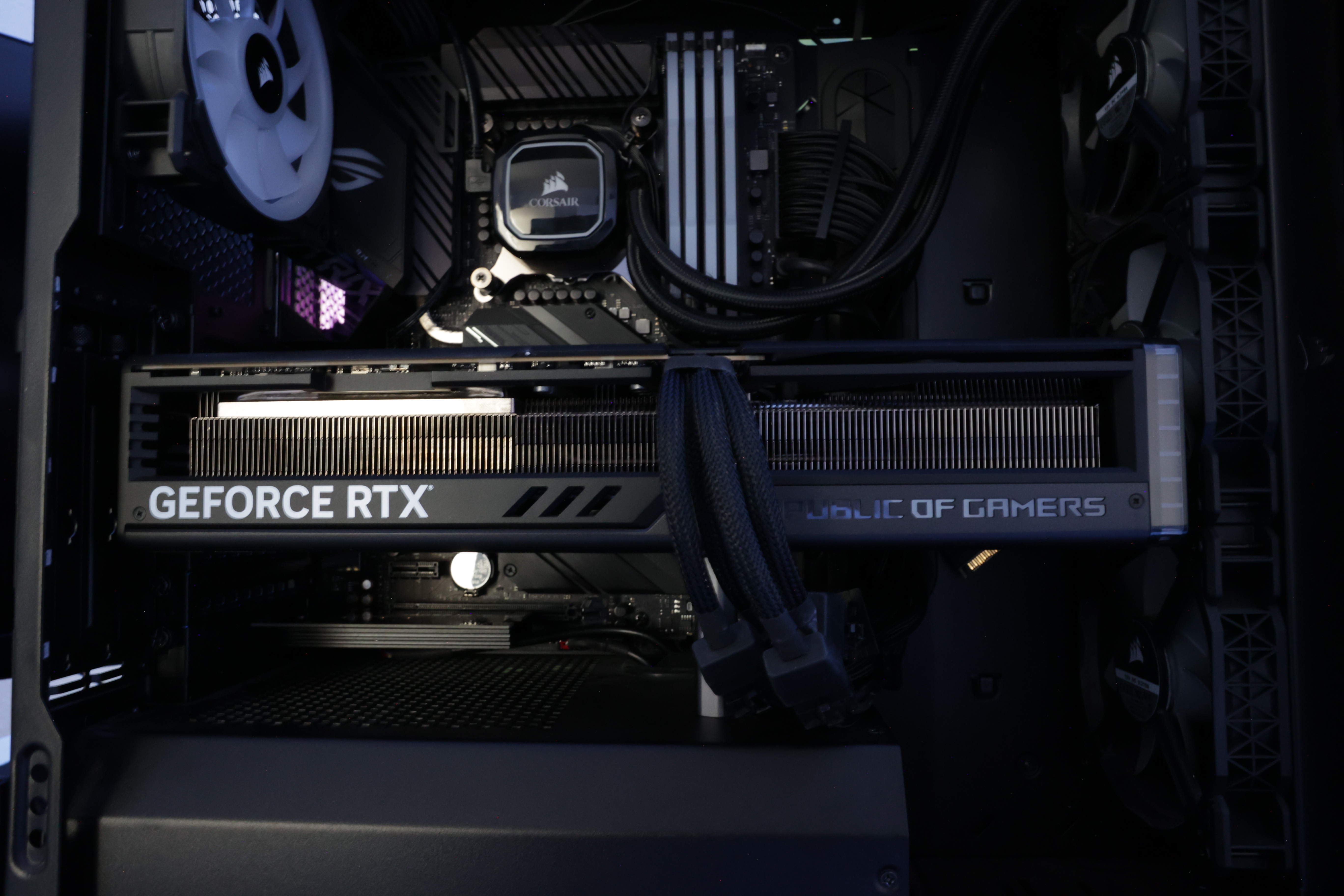
Now you can barely see it!
Lets welcome our new friend
Unless we did something wrong, we should see the new NVME listed:
lspci | grep Samsung
02:00.0 Non-Volatile memory controller: Samsung Electronics Co Ltd NVMe SSD Controller SM981/PM981/PM983
03:00.0 Non-Volatile memory controller: Samsung Electronics Co Ltd NVMe SSD Controller PM9C1a (DRAM-less)
06:00.0 Non-Volatile memory controller: Samsung Electronics Co Ltd NVMe SSD Controller SM981/PM981/PM983
Its right there on bus 03. The other two SSDs are the 970s we already had, on bus 02 and 06.
We should also see the new block device:
lsblk
NAME        MAJ:MIN RM   SIZE RO TYPE MOUNTPOINTS
sda           8:0    0   3.6T  0 disk
sdb           8:16   0   3.6T  0 disk
└─sdb1        8:17   0   3.6T  0 part
sdc           8:32   1     0B  0 disk
sdd           8:48   1 238.3G  0 disk
└─sdd1        8:49   1 238.3G  0 part /mnt
nvme0n1     259:0    0   1.8T  0 disk
├─nvme0n1p1 259:9    0   100M  0 part
├─nvme0n1p2 259:10   0   128M  0 part
├─nvme0n1p3 259:11   0   1.8T  0 part
└─nvme0n1p4 259:12   0   798M  0 part
nvme2n1     259:1    0   1.8T  0 disk
├─nvme2n1p1 259:6    0   300M  0 part /boot
└─nvme2n1p2 259:7    0   1.8T  0 part /
nvme1n1     259:8    0   3.6T  0 disk
We can also use the nvme command instead:
Node                  Generic               SN                   Model                                    Namespace  Usage                      Format           FW Rev
--------------------- --------------------- -------------------- ---------------------------------------- ---------- -------------------------- ---------------- --------
/dev/nvme0n1          /dev/ng0n1            S4J4NJ0NC0****L      Samsung SSD 970 EVO Plus 2TB             0x1          1.94  TB /   2.00  TB    512   B +  0 B   2B2QEXM7
/dev/nvme1n1          /dev/ng1n1            S7U9NJ0XB2****Z      Samsung SSD 990 EVO Plus 4TB             0x1         40.96  kB /   4.00  TB    512   B +  0 B   1B2QKXG7
/dev/nvme2n1          /dev/ng2n1            S4J4NM0R60****M      Samsung SSD 970 EVO Plus 2TB             0x1          1.38  TB /   2.00  TB    512   B +  0 B   2B2QEXM7
And there we have it: nvme1n1, all comfortable and idle.
All that’s left now is to create a new partition and put it work:
fdisk /dev/nvme1n1
sudo fdisk /dev/nvme1n1

Welcome to fdisk (util-linux 2.41.1).
Changes will remain in memory only, until you decide to write them.
Be careful before using the write command.

Command (m for help): g

Created a new GPT disklabel (GUID: 367A3D01-D608-4BFE-A7F8-2BFCCF321BBD).

Command (m for help): n
Partition number (1-128, default 1):
First sector (2048-7814037134, default 2048):
Last sector, +/-sectors or +/-size{K,M,G,T,P} (2048-7814037134, default 7814035455):

Created a new partition 1 of type 'Linux filesystem' and of size 3.6 TiB.

Command (m for help): w
The partition table has been altered.
Syncing disks.
Here’s our new partition:
lsblk | grep nvme1n1
nvme1n1     259:7    0   3.6T  0 disk
└─nvme1n1p1 259:2    0   3.6T  0 part
And now we create a new file system. This bad boy will be my new /home. I don’t need any of the fancy Btrfs/ZFS features so I choose to go with good old ext4.
mkfs.ext4 /dev/nvme1n1p1
mke2fs 1.47.3 (8-Jul-2025)
Discarding device blocks: done
Creating filesystem with 976754176 4k blocks and 244195328 inodes
Filesystem UUID: eb60cac0-fe05-4db4-890b-ed5ac56ca564
Superblock backups stored on blocks:
	32768, 98304, 163840, 229376, 294912, 819200, 884736, 1605632, 2654208,
	4096000, 7962624, 11239424, 20480000, 23887872, 71663616, 78675968,
	102400000, 214990848, 512000000, 550731776, 644972544

Allocating group tables: done
Writing inode tables: done
Creating journal (262144 blocks): done
Writing superblocks and filesystem accounting information: done
Performance
PCIe Version Comparison
In order to hit the bandwith limit this NVME has we would need PCIe v4.0 x4. And we only have PCIe v3.0 x4.
| PCIe Version | PCIe lanes | Bandwidth per Lane | Total Bandwidth (x4) | Theoretical NVMe Speed |
|---|---|---|---|---|
| PCIe 3.0 | x4 | 985 MB/s | ~3,940 MB/s | ~3,500 MB/s |
| PCIe 4.0 | x4 | 1,970 MB/s | ~7,880 MB/s | ~7,000 MB/s |
| PCIe 5.0 | x4 | 3,940 MB/s | ~15,760 MB/s | ~12,000 MB/s |
You have a more detailed comparison table here.
You always lose a bit due to PCI (overhead) but speed should be somewhat about 3500 MB/s and a bit less for writes (NVME reads are faster than writes, even for brand new NVMEs).
IO
Now for some real tests. I have mounted the new NVME to /mnt, and we will be using FIO for read and write tests:
Read
fio \
  --name=nvme-testread \
  --ioengine=libaio \
  --iodepth=32 \
  --rw=read \
  --bs=1m \
  --direct=1 \
  --size=10G \
  --numjobs=10 \
  --runtime=60 \
  --group_reporting \
  --filename=/mnt/testfile
Starting 10 processes
Jobs: 2 (f=2): [_(3),R(1),_(5),R(1)][96.8%][r=3402MiB/s][r=3402 IOPS][eta 00m:01s]
nvme-testwrite: (groupid=0, jobs=10): err= 0: pid=168807: Thu Aug 14 22:55:12 2025
  read: IOPS=3397, BW=3397MiB/s (3562MB/s)(100GiB/30143msec)
    slat (usec): min=4, max=2149, avg=10.29, stdev=42.68
    clat (msec): min=9, max=471, avg=87.24, stdev=66.46
     lat (msec): min=9, max=471, avg=87.25, stdev=66.46
    clat percentiles (msec):
     |  1.00th=[   19],  5.00th=[   20], 10.00th=[   22], 20.00th=[   29],
     | 30.00th=[   40], 40.00th=[   53], 50.00th=[   63], 60.00th=[   81],
     | 70.00th=[  110], 80.00th=[  150], 90.00th=[  188], 95.00th=[  220],
     | 99.00th=[  275], 99.50th=[  300], 99.90th=[  422], 99.95th=[  443],
     | 99.99th=[  456]
   bw (  MiB/s): min= 1240, max=11536, per=100.00%, avg=3641.90, stdev=215.69, samples=554
   iops        : min= 1240, max=11536, avg=3641.79, stdev=215.69, samples=554
  lat (msec)   : 10=0.02%, 20=6.07%, 50=31.70%, 100=29.31%, 250=31.25%
  lat (msec)   : 500=1.63%
  cpu          : usr=0.07%, sys=0.41%, ctx=102102, majf=0, minf=5406
  IO depths    : 1=0.1%, 2=0.1%, 4=0.1%, 8=0.1%, 16=0.2%, 32=99.7%, >=64=0.0%
     submit    : 0=0.0%, 4=100.0%, 8=0.0%, 16=0.0%, 32=0.0%, 64=0.0%, >=64=0.0%
     complete  : 0=0.0%, 4=100.0%, 8=0.0%, 16=0.0%, 32=0.1%, 64=0.0%, >=64=0.0%
     issued rwts: total=102400,0,0,0 short=0,0,0,0 dropped=0,0,0,0
     latency   : target=0, window=0, percentile=100.00%, depth=32

Run status group 0 (all jobs):
   READ: bw=3397MiB/s (3562MB/s), 3397MiB/s-3397MiB/s (3562MB/s-3562MB/s), io=100GiB (107GB), run=30143-30143msec

Disk stats (read/write):
  nvme2n1: ios=203101/2, sectors=207975424/24, merge=0/1, ticks=17751741/605, in_queue=17752534, util=95.68%
More or less what we expected, all good here.
Write
fio \
  --name=nvme-testwrite \
  --ioengine=libaio \
  --iodepth=32 \
  --rw=write \
  --bs=1m \
  --direct=1 \
  --size=10G \
  --numjobs=10 \
  --runtime=60 \
  --group_reporting \
  --filename=/mnt/testfile
Starting 10 processes
nvme-testwrite: Laying out IO file (1 file / 10240MiB)
Jobs: 3 (f=3): [_(2),W(1),_(3),W(2),_(2)][89.5%][w=2983MiB/s][w=2983 IOPS][eta 00m:04s]
nvme-testwrite: (groupid=0, jobs=10): err= 0: pid=167618: Thu Aug 14 22:53:44 2025
  write: IOPS=2962, BW=2962MiB/s (3106MB/s)(100GiB/34570msec); 0 zone resets
    slat (usec): min=20, max=137178, avg=62.99, stdev=1270.65
    clat (msec): min=6, max=420, avg=103.28, stdev=68.88
     lat (msec): min=6, max=420, avg=103.35, stdev=68.87
    clat percentiles (msec):
     |  1.00th=[   21],  5.00th=[   23], 10.00th=[   31], 20.00th=[   44],
     | 30.00th=[   57], 40.00th=[   69], 50.00th=[   84], 60.00th=[  102],
     | 70.00th=[  131], 80.00th=[  163], 90.00th=[  205], 95.00th=[  239],
     | 99.00th=[  309], 99.50th=[  338], 99.90th=[  384], 99.95th=[  388],
     | 99.99th=[  414]
   bw (  MiB/s): min= 1052, max= 8430, per=100.00%, avg=3054.20, stdev=147.67, samples=655
   iops        : min= 1052, max= 8430, avg=3054.10, stdev=147.66, samples=655
  lat (msec)   : 10=0.06%, 20=0.58%, 50=22.96%, 100=35.67%, 250=37.18%
  lat (msec)   : 500=3.55%
  cpu          : usr=1.17%, sys=0.38%, ctx=101709, majf=0, minf=101
  IO depths    : 1=0.1%, 2=0.1%, 4=0.1%, 8=0.1%, 16=0.2%, 32=99.7%, >=64=0.0%
     submit    : 0=0.0%, 4=100.0%, 8=0.0%, 16=0.0%, 32=0.0%, 64=0.0%, >=64=0.0%
     complete  : 0=0.0%, 4=100.0%, 8=0.0%, 16=0.0%, 32=0.1%, 64=0.0%, >=64=0.0%
     issued rwts: total=0,102400,0,0 short=0,0,0,0 dropped=0,0,0,0
     latency   : target=0, window=0, percentile=100.00%, depth=32

Run status group 0 (all jobs):
  WRITE: bw=2962MiB/s (3106MB/s), 2962MiB/s-2962MiB/s (3106MB/s-3106MB/s), io=100GiB (107GB), run=34570-34570msec

Disk stats (read/write):
  nvme2n1: ios=0/203750, sectors=0/208612136, merge=0/454, ticks=0/20967990, in_queue=20968116, util=85.63%
Write performance is ~85% compared to the read performance we tested earlier, but thats to be expected in an NVME, reads are always going to be faster.
Thermals
Compared to the old 970, the 990 runs at a lower temperature. The NVME is reporting two different temperatures and I’m not entirely sure what each sensor correspond to. If I was to guess, I’d say one sensor is from the controller chip you saw earlier, and the other (the lower temperature) is from the NAND RAM.
Its granted that the physical placement is not the same (the 970 is closer to the GPU) and that also affects the temperatures. In any case:
Samsung EVO 970 Plus
Temperatures when idle:
Temperature Sensor 1			: 58 °C (331 K)
Temperature Sensor 2			: 56 °C (329 K)
Temperatures when in use (during tests):
Temperature Sensor 1			: 67 °C (340 K)
Temperature Sensor 2			: 73 °C (346 K)
Samsung EVO 990 Plus
Temperatures when idle:
Temperature Sensor 1			: 49 °C (322 K)
Temperature Sensor 2			: 44 °C (317 K)
Temperatures when in use (during tests):
Temperature Sensor 1			: 62 °C (338 K)
Temperature Sensor 2			: 51 °C (328 K)